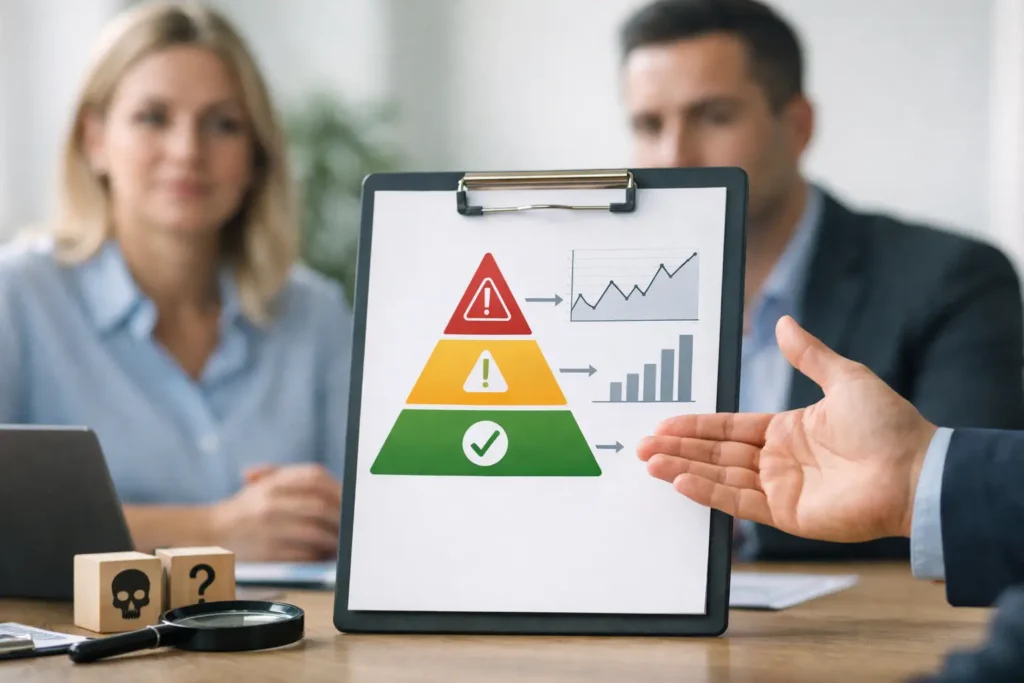
Usage of AI for project status reports is ramping up. If you have ever stared at a half-finished status update 20 minutes before a leadership review, you already understand the appeal of AI for project status reports. The real problem is not writing a few paragraphs. It is turning conflicting signals, partial data, and delivery risk into something accurate, concise, and safe to send upward.
Struggling to phrase this update for leadership? Don’t spend the next two hours agonizing over your wording. Use Project Manager Copilot to instantly transform your raw project notes into structured, boardroom-ready narratives.
One-time payment. Lifetime access. Secure & processed locally.
That is where most teams get burned. The project is slipping, one workstream is still saying green, another lead is quietly escalating, and finance wants a revised date you do not trust yet. A weak status report makes you look unprepared. This is when benefit of using AI for project status reports becomes visible.
Table of Contents
Why Use AI for Project Status Reports?
The traditional method of compiling a status report—chasing down team members, manually updating spreadsheets, and formatting slide decks—is prone to human error and “data aging.” By the time the report is sent, the information is often already 24 hours out of date.
Using AI for project status reports transforms the process into a real-time data stream. Natural Language Processing (NLP) can summarize complex technical updates into executive summaries, ensuring that the “story” of the project is told accurately without the manual grind.
How AI for Project Status Reports Improves Governance
- Consistency in Tone: AI ensures every report maintains a professional, objective tone regardless of who submits the data.
- Automated Sentiment Analysis: AI can flag if team updates are sounding “stressed” or “evasive,” alerting the PM to hidden risks.
- Data Integration: Automatically pulling KPIs from Jira, Trello, or Asana directly into your report template.
- Executive Summaries: Using LLMs to condense 50 task updates into 3 high-level bullet points for senior leadership.
- Predictive Forecasting: AI doesn’t just say where you are; it uses current velocity to predict where you will be in 30 days.
Manual vs. AI-powered reporting
| Feature | Manual Reporting | AI-Enhanced Reporting |
|---|---|---|
| Preparation Time | 2 – 4 Hours | 5 – 10 Minutes |
| Data Accuracy | Subjective / Human Error | Objective / Data-Driven |
| Update Frequency | Weekly / Bi-Weekly | Real-Time / Daily |
| Stakeholder Value | Static Document | Interactive Insights |
A report is only as good as the data it contains. If your AI for project status reports flags a significant delay, you must be ready to move from ‘reporting’ to ‘action.’
Transition immediately to your Project Blocker Communication Template to clear the path, or if the report shows a timeline shift, refer to your guide on How to Report Project Slippage for the next steps
Where AI for project status reports actually helps
Used well, AI reduces the slowest part of status reporting: converting raw project context into structured communication. That includes turning meeting notes into a concise weekly update, translating technical blockers into leadership language, and rewriting emotional or defensive drafts into neutral, decision-ready reporting.
For project managers, the value is speed with structure. You are not trying to automate judgment. You are trying to remove the blank-page problem, tighten language, and present the situation in a format stakeholders can absorb quickly. If you already know the status but need to package it properly, AI can save a meaningful amount of time.
It can also help normalize quality across bad reporting days. Most status reports do not fail because the PM lacks knowledge. They fail because the PM is juggling too much context at once and writing under time pressure. AI can impose order when the input is messy.
Struggling to phrase this update for leadership? Don’t spend the next two hours agonizing over your wording. Use Project Manager Copilot to instantly transform your raw project notes into structured, boardroom-ready narratives.
One-time payment. Lifetime access. Secure & processed locally.
What good status reporting still requires from you
This is the part many people skip. AI can draft, summarize, and restructure. It cannot own the call on whether a risk belongs in the executive summary, whether a recovery date is defensible, or whether a red status will trigger unnecessary escalation without enough mitigation context.
That means the PM still has three non-delegable responsibilities.
First, you need to decide what is true. If your source material is inconsistent, AI will often smooth over contradictions instead of resolving them. Second, you need to choose the reporting posture. Some audiences need a crisp exception-based update. Others need context on dependencies and trade-offs. Third, you need to protect credibility. If the output sounds confident but is wrong, the damage is worse than a rough draft written manually.
AI helps the most when the project manager already understands the situation and needs to communicate it faster. It helps least when the underlying status is still unclear.
The problem with generic AI tools
General-purpose AI can absolutely produce status reports. The issue is not whether it can write. The issue is whether it understands what a usable project status report needs to do.
In high-pressure delivery environments, the report is rarely just a recap. It needs to signal confidence without hiding risk. It needs to separate symptom from cause. It needs to explain variance without sounding evasive. It often needs a clean line from issue to impact to action to decision needed.
Generic AI tools tend to miss that operating rhythm. They often produce language that sounds polished but generic, with too much filler and not enough management signal. You ask for a stakeholder-ready update and get a nicely written paragraph that still needs heavy editing before you would ever send it to a VP.
That creates a second workload. You save time generating text, then lose time fixing tone, tightening structure, and removing sentences that say very little. For project managers, that is not efficiency. That is rework.
What better usage of AI for project status reports looks like
The best output starts from the structure of project communication, not from a blank chatbot box. That means the AI should help you organize information into the components leaders actually care about: overall status, progress since last update, key risks and issues, timeline impact, mitigation actions, and decisions or support required.
It should also reflect the reality that not every update is the same. A routine weekly report is different from a schedule recovery update. A customer-facing summary is different from an internal steering committee brief. A project in yellow needs different wording than a project that has clearly moved to red.
That is why specialization matters. If the tool is designed around project reporting use cases, you spend less time explaining the format and less time correcting the result. Instead of inventing prompts, you work from project-specific inputs and get output that is already closer to executive-ready.
A practical way to use AI without creating reporting risk
Start with facts, not interpretation. Gather the current milestone position, key completed items, open blockers, dependency issues, and the latest view on timeline and scope impact. If there is disagreement between leads, note that explicitly before generating anything.
Then define the audience. Are you writing for an engineering director, a PMO lead, a client sponsor, or an executive steering group? The same project status can be framed very differently depending on who will read it. AI performs better when the audience and purpose are clear.
Next, decide the reporting intent. Do you need a straightforward weekly update, an escalation note, a recovery-plan summary, or a status explanation after a missed commitment? This matters because tone and structure should follow the situation.
Once you generate a draft, review it with a hard editorial standard. Check whether the status color matches the narrative. Check whether every claimed mitigation has an owner or action behind it. Check whether timeline statements are concrete enough to be credible.
Remove any sentence that sounds polished but does not help a stakeholder understand what changed, what matters, or what is needed.
Finally, make sure the output reflects your judgment. Good AI-assisted reporting should sound like a competent project manager with clear situational awareness, not like a generic assistant trying to sound professional.
Where teams usually misuse AI for project status reports
The first mistake is asking AI to infer status from vague notes. If your inputs are weak, the output may still look strong. That is dangerous because it masks uncertainty rather than surfacing it.
The second mistake is using AI to soften bad news too much. Executive audiences do not need drama, but they do need honesty. If a milestone is at risk, say so plainly. AI for project status reports should help you make the message clear, not cosmetically safer.
The third mistake is skipping the final review because the draft reads well. A good sentence is not the same as a defensible statement. If you would be uncomfortable reading the update aloud in a steering meeting, it is not ready.
There is also a subtler issue. Overusing AI can flatten your communication style until every update sounds the same, regardless of context. Strong PM communication is not just neat formatting. It is situational judgment expressed clearly.
AI for project status reports trade-off: speed versus control
This is where the decision gets practical. If you write every report manually, you keep full control but pay in time and mental energy. If you rely too heavily on generic AI, you gain speed but often lose precision and voice. The right setup gives you both: faster first drafts and enough structure to maintain quality.
For most project managers, the sweet spot is not full automation. It is assisted execution. You provide the facts, context, audience, and message posture. The AI organizes and drafts. You approve the final communication with the same level of care you would use for any leadership-facing update.
That balance becomes even more valuable when projects start slipping. Under schedule pressure, reporting quality often collapses right when stakeholder confidence matters most. A specialized tool can help you keep updates sharp, calm, and credible even when the delivery picture is moving fast.
If your current process involves pasting notes into a generic AI tool, rewriting the output, and still worrying whether it sounds executive-ready, that is the gap to fix. Project Manager Copilot was built for exactly that pressure point. It helps turn messy project context into structured status updates, recovery communications, and decision-ready messaging without forcing you to become a prompt engineer. You can check it out here .
Struggling to phrase this update for leadership? Don’t spend the next two hours agonizing over your wording. Use Project Manager Copilot to instantly transform your raw project notes into structured, boardroom-ready narratives.
One-time payment. Lifetime access. Secure & processed locally.
Strong project reporting is rarely about perfect writing. It is about helping leadership understand reality quickly enough to make the next good decision.